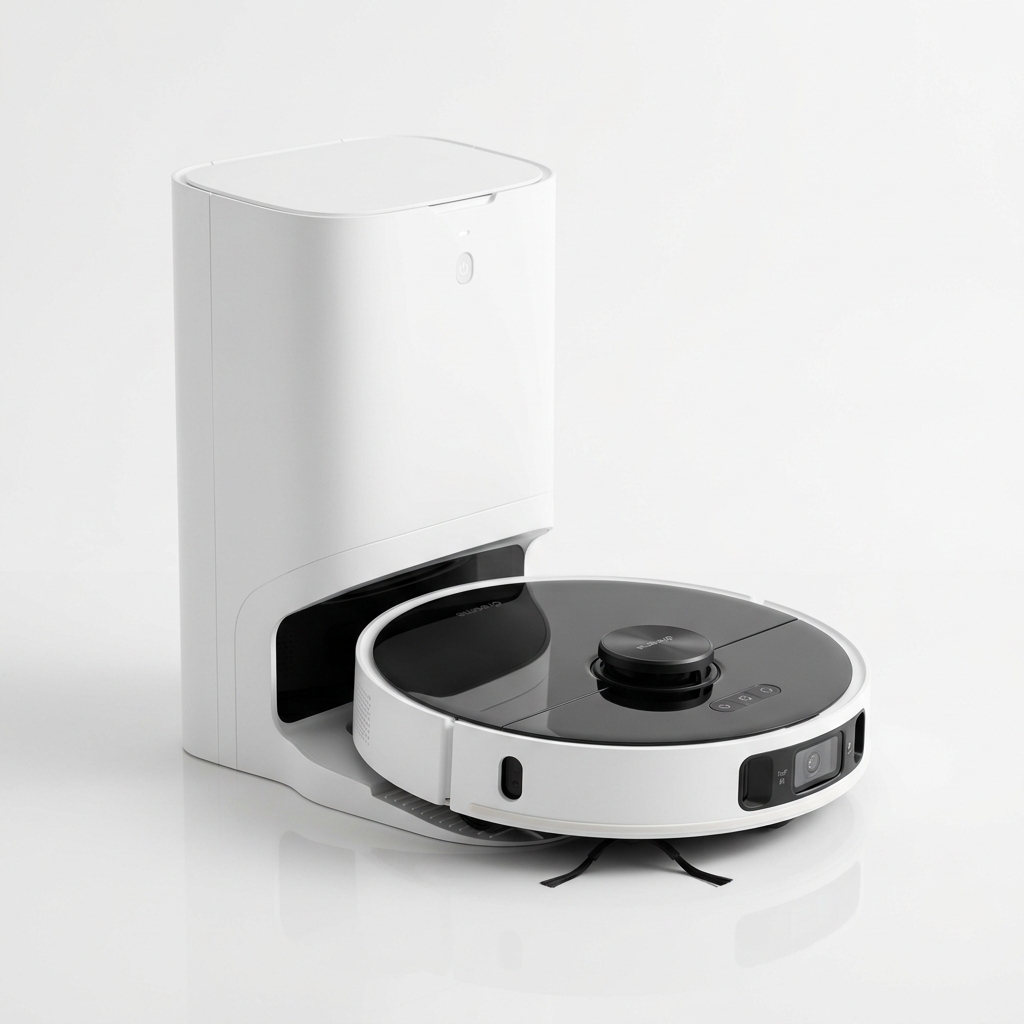
Dreame
★ 4.6
Dreame D10 Plus Gen 2
Best Value Robot Vacuum with 6000Pa Suction
₹27,999
90-Day Self-Emptying (4L Bag)
6000Pa Vormax Suction
LiDAR Navigation
Learn how LiDAR navigation works in robot vacuums, its advantages over camera and gyroscope systems, and why it matters for Indian homes.
If you have been researching robot vacuum cleaners recently, you have likely come across the term LiDAR navigation. It is one of the most talked-about features in modern robotic vacuums, and for good reason. LiDAR — which stands for Light Detection and Ranging — is the technology that allows a robot vacuum to see and map your home with impressive precision, even in complete darkness. Unlike older systems that rely on bump sensors or cameras, LiDAR-based navigation gives the vacuum a detailed understanding of room layouts, furniture positions, and obstacles in real time. For Indian homes with varied floor plans, narrow corridors, and cluttered living spaces, understanding how LiDAR navigation works can make a significant difference when choosing the right cleaning companion. This guide breaks down the technology in plain language, compares it with alternative navigation methods, and helps you decide whether a LiDAR-equipped vacuum is the right choice for your household.
LiDAR is a remote sensing method that uses pulsed laser light to measure distances. The term was originally a combination of “light” and “radar.” In a robot vacuum, a LiDAR sensor sits on top of the unit — usually inside a small turret that spins constantly during operation. This sensor emits thousands of infrared laser pulses per second in every direction. Each pulse hits a surface, reflects back, and the time taken for the round trip is measured. By calculating the time-of-flight for each pulse, the vacuum builds a precise map of its surroundings.
LiDAR sensors used in robot vacuums operate at wavelengths around 830–950 nanometres, which fall in the infrared spectrum. This is important because it means the sensor works without visible light. The spinning mechanism typically rotates at 5–10 revolutions per second, giving the vacuum a 360-degree view of the room multiple times every second. This constant stream of distance data is what enables the vacuum to know exactly where it is at all times.
The accuracy of consumer-grade LiDAR sensors in robot vacuums is typically within 2–5 centimetres at a range of up to 8–12 metres. That is more than enough for indoor navigation. To put that in perspective, a gyroscope-based system might know within 20–30 centimetres where it is after travelling a few metres.
When you press start on a LiDAR-equipped robot vacuum, the sensor begins spinning and firing laser pulses. Here is the step-by-step process:
Initial scan. Within the first few seconds, the vacuum emits laser pulses and receives reflections. It identifies walls, furniture legs, and other permanent structures. This initial scan creates a rough outline of the room.
Continuous mapping. As the vacuum moves, it constantly updates the map. Each new laser reading is compared against the existing map to determine the vacuum’s current position. This is similar to how a GPS system tracks a car’s location on a road map, except LiDAR does it at centimetre-level resolution indoors.
Obstacle detection. When the laser detects an object within the vacuum’s path — such as a shoe, a charging cable, or a child’s toy — the vacuum adjusts its route. Unlike bump-and-run robots that physically collide with obstacles, LiDAR vacuums detect objects before contact and plan an alternative path.
Coverage optimisation. Because the vacuum knows exactly which areas it has already cleaned and which it has not, it can follow efficient cleaning patterns. Instead of random bouncing, LiDAR vacuums typically clean in straight, parallel lines — a pattern called systematic cleaning. This reduces cleaning time and ensures complete coverage.
Return to dock. When the battery runs low, the vacuum calculates the shortest path back to the charging dock. Since it has an accurate map, it navigates directly rather than wandering around looking for the dock’s infrared beacon.
Gyroscope navigation, also called gyro navigation, relies on an inertial measurement unit (IMU) that tracks rotational changes and movement direction. It is the older and less expensive navigation method. Here is how the two compare:
Mapping accuracy. LiDAR creates a detailed, persistent map that the vacuum saves and reuses across cleaning cycles. Gyroscope systems do not create a persistent map. They track relative position during a single cleaning run, but the vacuum starts fresh each time. This means a gyroscope vacuum may clean the same spot twice and miss other areas entirely on any given run.
Obstacle avoidance. LiDAR detects obstacles before contact. Gyroscope vacuums rely primarily on bump sensors. They physically touch obstacles to know they are there. Over time, this can lead to scuffed furniture and more wear on the vacuum’s bumpers.
Performance in darkness. LiDAR works identically in complete darkness and bright rooms. Gyroscope systems are unaffected by lighting as well, but because they cannot detect obstacles visually, dark rooms filled with furniture still result in bump-based navigation.
Cost. Vacuums with gyroscope navigation are generally more affordable, often priced between ₹12,000 and ₹18,000. LiDAR vacuums typically start around ₹18,000 and go up to ₹60,000 or more for premium models.
Suitable for. Gyroscope navigation works adequately in small, open-plan homes with minimal furniture. For larger homes, cluttered spaces, or multi-room layouts, LiDAR offers significantly better coverage and efficiency.
Camera-based navigation, also known as visual SLAM or vSLAM, uses one or more cameras to capture images of the ceiling and surroundings. The vacuum identifies visual features — corners, edges, light fixtures — and triangulates its position based on how these features move in the camera frame.
Lighting dependency. This is the biggest difference. Camera navigation requires adequate lighting. In dim rooms or at night, the camera cannot capture enough detail to maintain its position. Some camera-based vacuums include supplemental LED lights, but these add cost and still may not match LiDAR reliability in complete darkness. LiDAR works in any light condition, including total darkness.
Privacy. Some users have expressed privacy concerns about camera-based vacuums that capture images of their home interior. While reputable manufacturers state that images are processed locally and not uploaded, the concern remains valid. LiDAR captures only distance data — dots on a grid — not photographs. For privacy-conscious users, LiDAR is the more comfortable choice.
Object recognition. Camera systems have an advantage in recognising specific objects. A camera can identify a charging cable or a pet waste because it sees shape and colour. LiDAR detects an obstacle’s presence and dimensions but cannot identify what the obstacle is. The latest premium vacuums combine LiDAR with a front-facing AI camera for the best of both worlds.
Computational requirements. vSLAM requires significant onboard processing power to analyse camera images in real time. This can affect battery life and cost. LiDAR data is simpler to process, so the computational load is lower.
Map persistence. Both systems can create and save persistent maps. However, vSLAM maps may degrade in accuracy if lighting conditions change significantly between cleaning cycles. LiDAR maps remain consistent regardless of lighting.
One of the most frequently cited advantages of LiDAR navigation is its performance in darkness. Since LiDAR uses its own infrared laser light source, external lighting is irrelevant. Whether the room is brightly lit by afternoon sun or completely dark at midnight, the sensor readings are identical.
This matters for several practical reasons. Many users schedule robot vacuums to clean during the night or while they are at work. In Indian homes, evening cleaning schedules are common because family members are at work or school during the day. If the vacuum relies on cameras, it may struggle after sunset when rooms are dimly lit. LiDAR vacuums maintain full navigation accuracy regardless.
Additionally, rooms with large glass windows or mirrors can confuse camera-based systems. Reflections and glare may cause the vacuum to misinterpret its position. LiDAR lasers can pass through glass (though some glass types may cause beam deflection), but in practice, LiDAR vacuums handle glass and mirrored surfaces better than camera-based alternatives.
SLAM stands for Simultaneous Localisation and Mapping. It is the software brain behind the LiDAR sensor. Here is what it does in simple terms:
The SLAM algorithm takes raw distance data from the LiDAR sensor and processes it into a coherent map. It also tracks the vacuum’s movement — wheel rotations, direction changes, and timing — to predict where the vacuum should be on the map. Then it corrects that prediction using LiDAR readings.
There are two main types of SLAM used in robot vacuums:
Particle filter SLAM (used in many Xiaomi and Roborock models) uses hundreds of virtual “particles” spread across the map. Each particle represents a possible position of the vacuum. As the vacuum moves and senses, particles that match sensor readings are kept, and particles that do not match are discarded. Over time, the particles converge on the correct position.
Graph-based SLAM (used in some higher-end models) creates a graph where nodes represent positions and edges represent movement between positions. When the vacuum detects a loop — returning to a previously visited spot — it optimises the entire graph to reduce drift errors.
Both approaches work well. The practical difference is that graph-based SLAM tends to produce slightly more accurate maps over very large areas, while particle filter SLAM works efficiently in typical home environments.
Because LiDAR creates a persistent digital map, users can interact with it through the companion app in powerful ways.
Room separation. After the first cleaning run, the app typically displays a map divided into rooms. Users can label rooms — living room, bedroom, kitchen — by drawing boundaries on the map. The vacuum can then be directed to clean specific rooms only, or to clean certain rooms before others.
No-go zones. These are invisible virtual walls drawn on the map. The vacuum will not enter a no-go zone during any cleaning run. This is useful for areas with tangled cables, pet feeding stations, or children’s play areas with small toys.
Invisible walls. Similar to no-go zones but typically rectangular strips. They block passage through a specific area, such as a doorway, without needing a physical magnetic strip.
Selective room cleaning. Once rooms are labelled, you can instruct the vacuum to clean only the kitchen and dining area, for example, while leaving bedrooms untouched. This saves time and battery on days when only certain areas need cleaning.
Zone cleaning. You can draw a rectangular zone on the map, and the vacuum will clean only that zone, even if it covers only part of a room. Useful for spills or high-traffic areas.
The accuracy of these features depends directly on the quality of the LiDAR map. A well-mapped home with LiDAR can achieve centimetre-level precision in zone placement.
Many LiDAR-equipped robot vacuums support multi-floor mapping. This means the vacuum can store maps of different floors in its memory — typically up to 3–5 floor plans, depending on the model.
When you carry the vacuum to a different floor and start cleaning, it recognises which floor it is on by comparing current LiDAR readings against stored maps. It automatically loads the appropriate map. This allows you to maintain separate no-go zones, room labels, and cleaning schedules for each floor.
For Indian homes that are not bungalows — apartments in high-rise buildings, duplexes, or houses with a separate ground floor and first floor — multi-floor mapping is a valuable feature. Without it, the vacuum would try to overlay one floor’s map on top of another, causing navigation errors.
Models that support multi-floor mapping include several from Roborock, Dreame, and Xiaomi in the mid-to-premium range. Budget LiDAR models may not include this feature, so check specifications if you plan to use the vacuum on multiple levels.
LiDAR navigation is not essential for every household. Here is a breakdown of home types and how much they benefit:
Large homes (1500+ square feet). LiDAR offers significant advantages. The systematic cleaning pattern ensures complete coverage without missed spots. The persistent map means the vacuum does not waste time re-exploring familiar areas. Battery efficiency improves because the vacuum plans optimal routes.
Homes with many rooms. If your home has 4+ rooms with doorways connecting them, LiDAR navigation is highly beneficial. The vacuum navigates through doorways efficiently and remembers which rooms it has cleaned. Gyroscope or random-bounce vacuums often miss entire rooms or spend too much time wandering.
Cluttered homes. Homes with furniture, rugs, and everyday objects on the floor benefit from LiDAR’s obstacle detection. The vacuum can navigate around obstacles without getting stuck as frequently.
Homes with pets. Pet owners benefit from LiDAR’s ability to clean in darkness (pets are often more active at night) and from the precise no-go zones that can keep the vacuum away from pet beds and feeding areas.
Small, open-layout apartments (under 800 square feet). The advantage of LiDAR over gyroscope systems is less pronounced. A well-designed gyroscope vacuum can clean a single open room effectively. However, LiDAR still offers the convenience of persistent maps and no-go zones.
Homes with thick carpets or dark floors. LiDAR is unaffected by floor colour or texture. Some camera-based systems struggle with dark floors that absorb light or with reflective tiles common in Indian homes.
Moving the dock without remapping. Users often relocate the charging dock without deleting and regenerating the map. The vacuum may fail to dock because its map shows the dock in the old location.
Blocking the LiDAR turret. The spinning sensor on top must remain unobstructed. Do not place objects on top of the vacuum, and ensure low-hanging furniture or curtains do not brush against the turret during cleaning.
Ignoring firmware updates. Manufacturers regularly release firmware updates that improve SLAM algorithms, obstacle detection, and mapping accuracy. Check the app periodically for updates.
Expecting perfect mapping on the first run. The first cleaning run produces a draft map that may have inaccuracies. Allow 2–3 full cleaning cycles before relying on room labels and no-go zones.
Using only one floor map for multi-level homes. If you manually carry the vacuum between floors, ensure the model supports multi-floor mapping. Using a single map for different floor layouts causes confusion.
When considering a robot vacuum with LiDAR navigation, evaluate your specific home layout, cleaning needs, and budget. Models from Dreame, Roborock, Xiaomi, and Eureka Forbes offer LiDAR-equipped options at various price points. Check the specifications carefully — not all models that claim “laser navigation” use full LiDAR; some use a simplified laser sensor with limited range. Look for specifications that mention 360-degree LiDAR, SLAM algorithm support, and multi-floor mapping if you need it. For Indian buyers, availability of spare parts and service centres is an important consideration alongside the navigation technology.
Check Price on Amazon — See current prices on LiDAR robot vacuums like the Dreame D10 Plus Gen 2 available in India.
What does LiDAR stand for in robot vacuums? LiDAR stands for Light Detection and Ranging. It uses laser pulses to measure distances and create a detailed map of the environment.
Is LiDAR navigation better than camera navigation? LiDAR works reliably in complete darkness and offers consistent mapping regardless of lighting. Camera navigation can recognise specific objects but depends on adequate lighting. Each has strengths; LiDAR is generally preferred for consistent navigation.
Do LiDAR robot vacuums work in the dark? Yes. LiDAR uses infrared laser light, so it performs identically in complete darkness and bright rooms. No external lighting is needed.
Can LiDAR vacuums see through glass? LiDAR laser pulses can pass through clear glass, but reflections from angled or tinted glass may cause some inaccuracy. In practice, LiDAR vacuums handle glass furniture and windows better than camera-based systems.
What is SLAM in robot vacuums? SLAM stands for Simultaneous Localisation and Mapping. It is the algorithm that processes LiDAR sensor data to create a map and track the vacuum’s position within that map simultaneously.
How accurate is LiDAR navigation in robot vacuums? Consumer-grade LiDAR in robot vacuums typically offers 2–5 cm accuracy at ranges up to 8–12 metres. This is sufficient for precise room mapping and no-go zone placement.
Do all LiDAR vacuums support multi-floor mapping? No. Multi-floor mapping is a software feature that requires sufficient onboard memory. Budget LiDAR models may not support it. Check specifications before purchasing if you need this feature.
Can I set no-go zones with LiDAR vacuums? Yes. After the vacuum creates a map, you can draw no-go zones and invisible walls in the companion app. The vacuum will respect these boundaries during cleaning.
Are LiDAR robot vacuums more expensive? Generally, yes. LiDAR sensors add to the manufacturing cost. Expect to pay at least ₹18,000 for a LiDAR-equipped model, with premium options ranging up to ₹60,000 or more.
Is LiDAR safe for pets and children? Yes. The infrared laser used in robot vacuum LiDAR sensors is low-power and classified as Class 1, meaning it is safe under normal use conditions. The laser is enclosed in a spinning housing and poses no risk to humans or pets.
Which Indian brands use LiDAR navigation? Dreame, Roborock, Xiaomi (Mi), and several sub-brands offer LiDAR-equipped models. Some Eureka Forbes models also include LiDAR. Check the product specifications for “laser navigation” or “LiDAR” to confirm.
How long does it take for a LiDAR vacuum to map a home? Most LiDAR vacuums create a basic map during the first cleaning run, which may take 45–90 minutes for a typical Indian home. Complete maps with accurate room separation usually form after 2–3 cleaning cycles.
Affiliate Disclosure: As an Amazon Associate I earn from qualifying purchases. If you purchase a product through these links, I may earn a small commission at no extra cost to you. This helps us maintain the site and continue creating useful content. We only recommend products we have researched and believe offer genuine value to our readers.
Internal Links:
Affiliate Disclosure: As an Amazon Associate I earn from qualifying purchases. If you click on a link and make a purchase, I may earn a small commission at no extra cost to you.
Check the latest prices and reviews on Amazon India.
Best Value Robot Vacuum with 6000Pa Suction
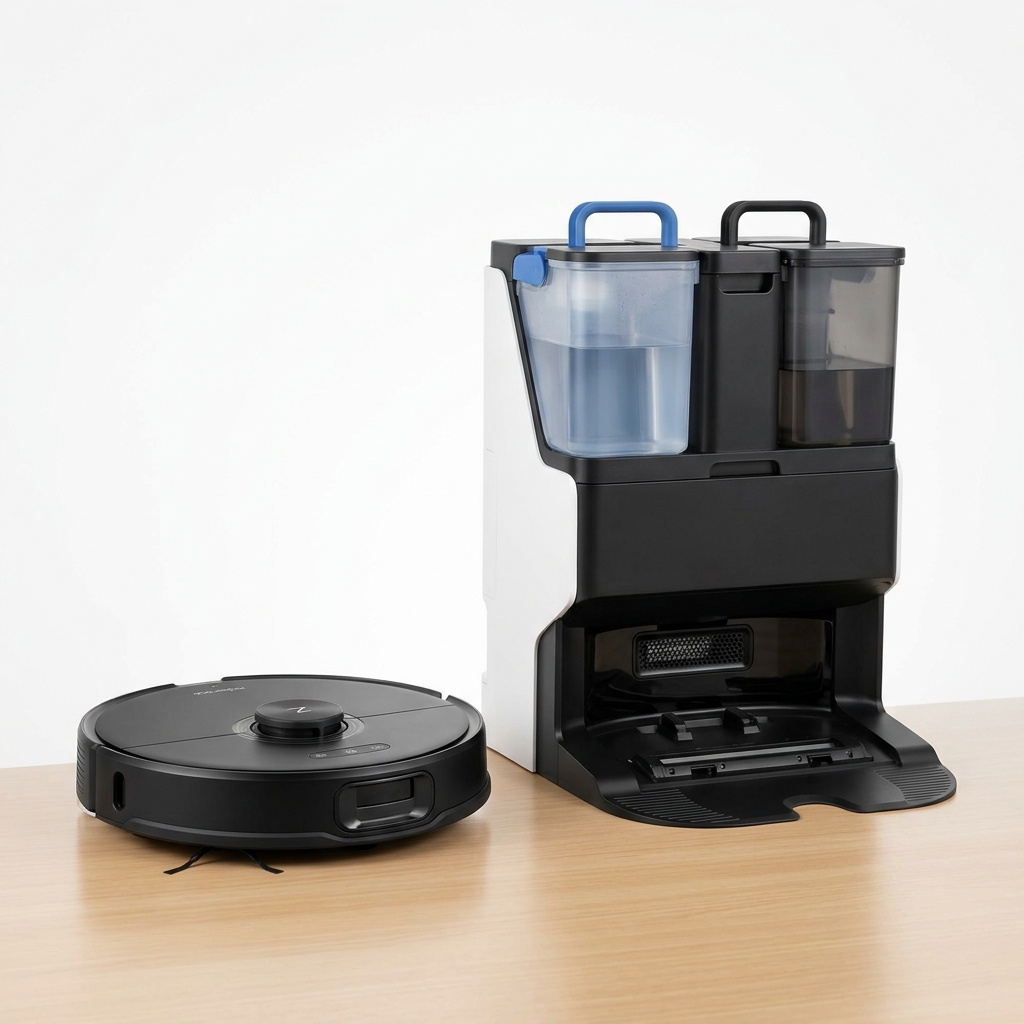
Premium Robot Vacuum with Auto Mop Washing Dock
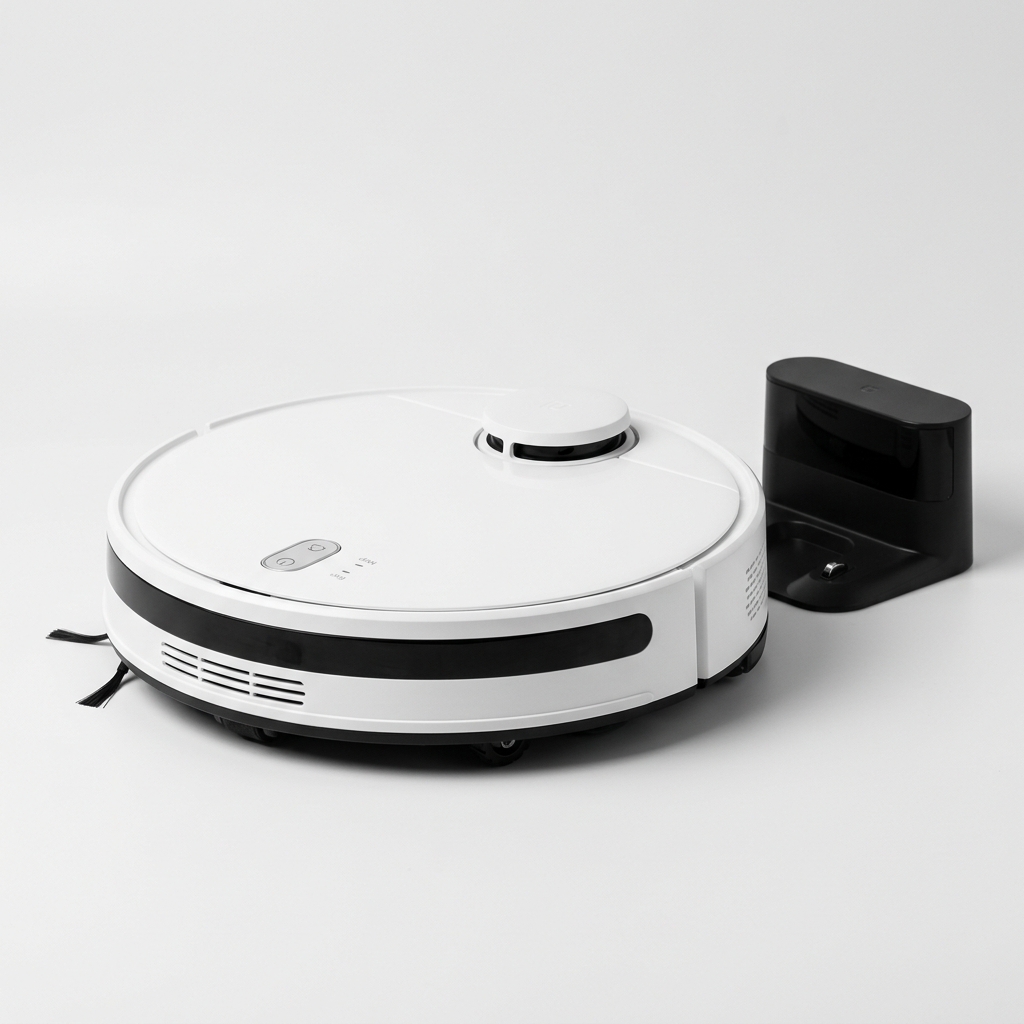
Affordable Robot Vacuum with 5200mAh Battery & LDS Navigation
Our comprehensive guide to the best robot vacuum cleaners available in India in 2026. Expert picks for every budget.
Buying GuidePractical framework for choosing a robot vacuum in India: floor types, home size, budget, must-have features, navigation, and maintenance.
Buying GuideKey factors for choosing a robot vacuum for large Indian homes: battery runtime, auto-recharge, self-emptying stations, multi-floor mapping, and coverage.
Compare top-rated models side by side and pick the best one for your home and budget.